Docs / Insert a link
Guides
Insert a link you approve.
recto never invents sentences. It finds places in your existing posts where a phrase you already wrote can point to an orphan page — and nothing publishes until you click approve.
1Open the top orphan
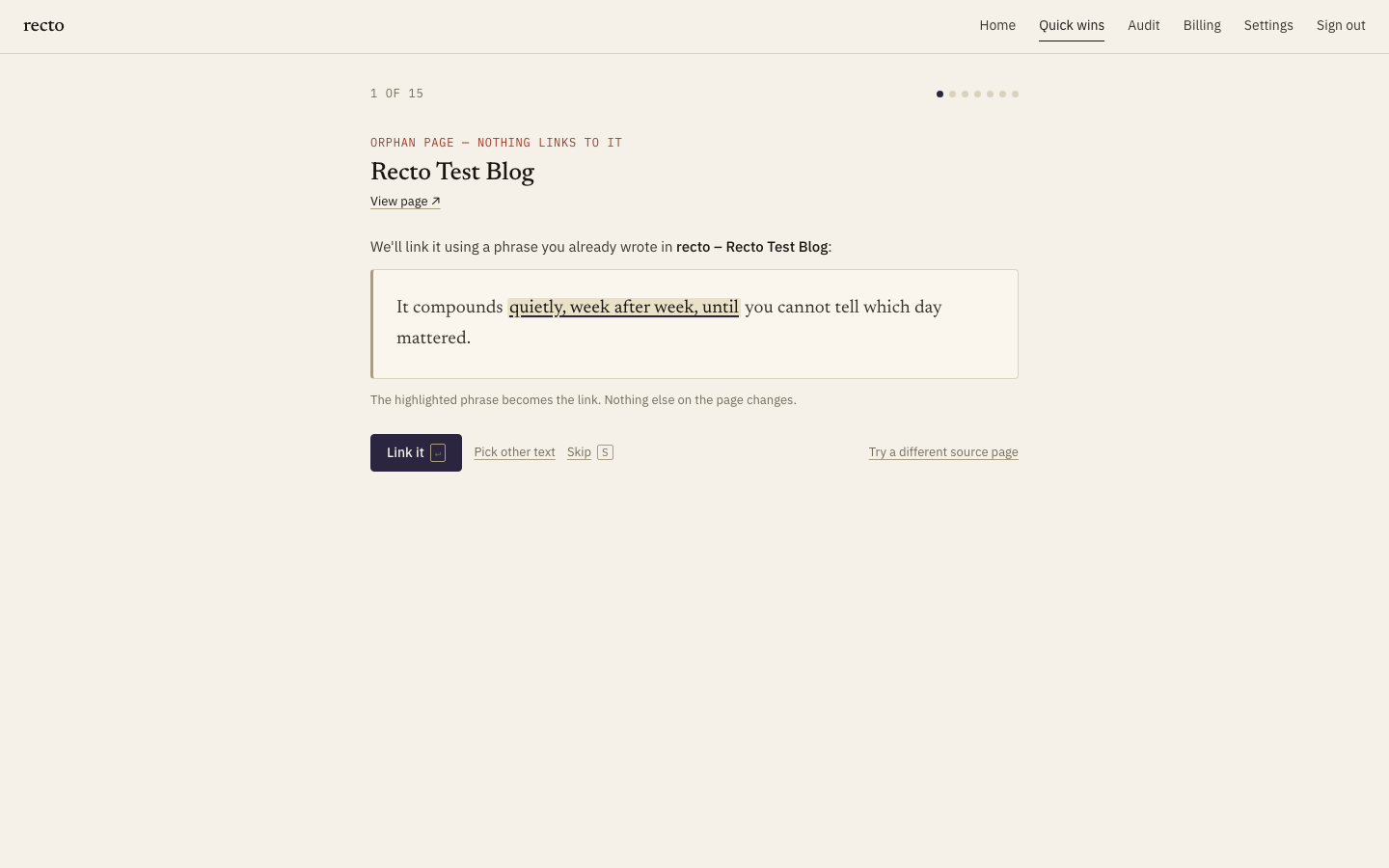
recto ranks your orphans (by lost impressions if Search Console is connected, otherwise by link depth) and opens the most valuable one first. You see the orphan page, and below it the related posts recto found that could link to it.
2Pick the paragraph and phrase
For each candidate, recto highlights a phrase you already published that fits as the anchor text — your sentence is unchanged; one phrase simply becomes a link. Read the suggestions and choose the paragraph that reads most naturally.
3Approve, and recto publishes
Click approve and recto pushes the link through the WordPress REST API into the published post. Then it re-fetches the live page and confirms the link is present in the HTML — so a card marked verified live means the link is actually on your site, not just queued.