Docs / Bring your own key
Guides
Bring your own key, stop the meter.
Anchor suggestions are the one step that costs an AI call. Paste your own OpenAI or Anthropic key and recto uses it instead of your included credits — the meter simply stops.
1Get a key
Create an API key from your OpenAI or Anthropic account. Either works — recto uses whichever you enable.
2Paste it into settings
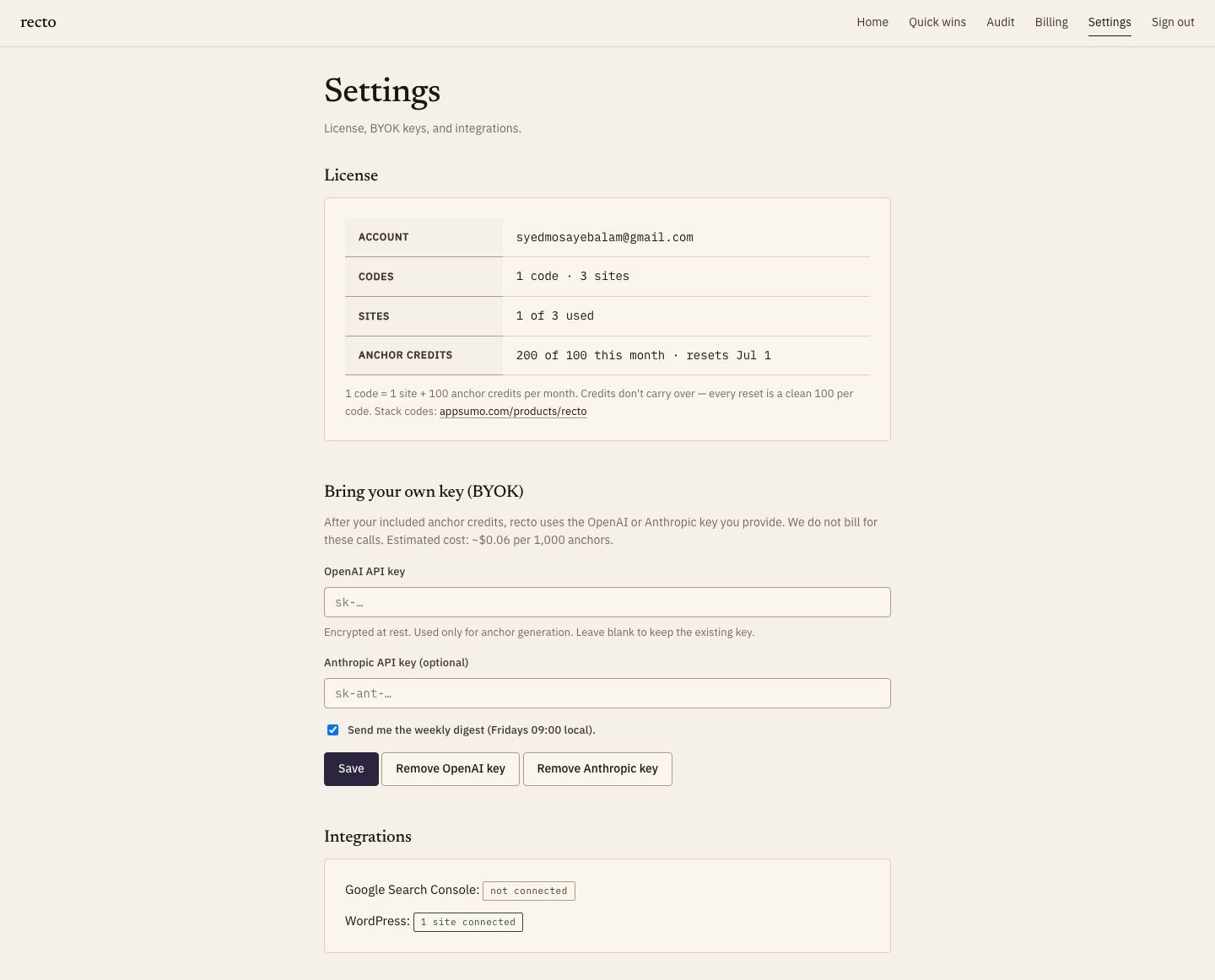
On the settings screen, paste the key and toggle it on. recto encrypts it at rest and uses it only to generate anchor suggestions — nothing else.
3The meter stops
With your key enabled, anchor suggestions no longer draw down credits — you pay your model provider directly for what you use, typically fractions of a cent per suggestion. Everything else in recto stays included.
Your key, your control. recto never logs the key or your prompts back to itself, and you can remove the key any time — recto falls back to included credits the moment you do.
Was this helpful? Email [email protected] or visit contact support.